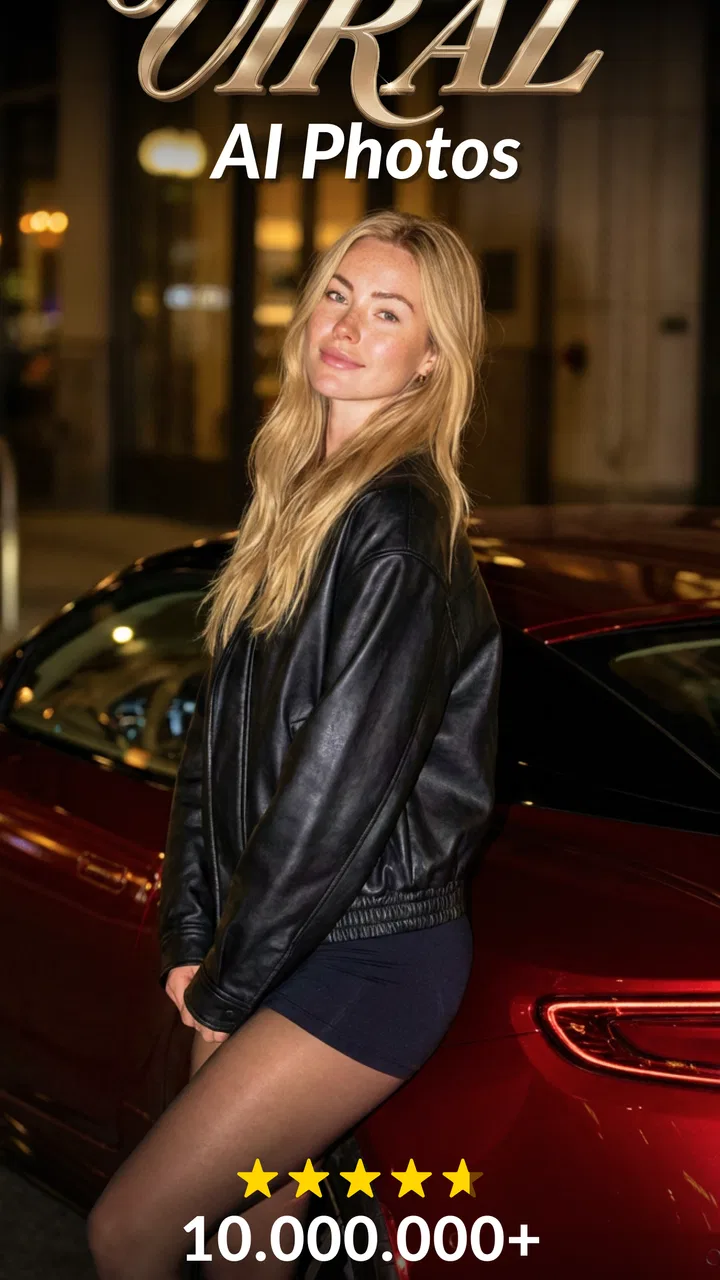
AI Photo Generator - AURA AI
- 4.3
- Rating
- 1.00M
- Installs
- Free
- Price

 Analysis by App-foxy
I found AI Photo Generator - AURA AI most interesting when I stopped treating it like an ordinary photo editor. It is built around creating new visual material from portraits, including AI-generated headshots and photo-to-video results, rather than simply adjusting brightness, cropping a picture, or adding a filter. That makes the first experience feel different from using a traditional photography app: the important decision is not which slider to move, but which source image gives the system a good foundation.
For a first-time user, the reassuring part is that the app is free to install and aimed at an Everyone audience. I would still approach it with realistic expectations. AI portrait tools can produce an attractive result quickly, but they are not a replacement for a professional photographer, a carefully directed studio session, or a full desktop editor. The strongest results come when I choose a clear, well-lit portrait and use the generated image for a practical purpose, such as a profile picture, social post, creative experiment, or a more polished personal introduction.
What AURA AI feels like in everyday use
Superapp Labs positions this Photography app around two connected ideas: generating portraits and turning still photos into dance-style videos. In practice, that gives it a broader role than a headshot maker alone. I can begin with a portrait when I want a refreshed image, then explore motion when a static result feels too ordinary. The appeal is the quick change from a familiar photo into something that looks deliberately produced rather than casually captured.
You May Also Like

 Blood Strike: 2.5 Anniversary
Blood Strike’s Loadouts Turn Every Drop Into a Tactical Gamble
A close look at Blood Strike’s custom loadouts: how fast access to signature weapons reshapes its battle royale rhythm, rewards preparation, and narrows the gap between fights.

 Pandora - Music & Podcasts
Pandora’s Music Is Easy to Start, but Harder to Recover
Pandora’s strength is its low-effort path from a seed to a station. Its weak spot is how much confidence it asks you to place in connection, setup, and quiet recovery.

 8 Ball Pool
 Is Built on Rivalries, Rematches, and Routine
A close look at the rivalries, rematches, shared routines, and unanswered safety questions that turn a quick pool match into a persistent mobile community.

 Samsung Music
’s Quiet Strength Is Playing What You Already Own
Its reach comes less from spectacle than from dependable access to a personal library. That simplicity is both the app’s strongest retention engine and its ceiling.

 AccuWeather: Weather Radar
AccuWeather Review: A Quick, Clear Forecast for Everyday Decisions
For everyday plans, the best forecast is the one you can understand quickly. AccuWeather makes rain timing, radar, and local conditions easy to act on, with a few trade-offs.

 Hill Climb Racing
Why Hill Climb Racing Still Turns Crashes Into One More Run
A tiny car, a bumpy hill and one more upgrade: Hill Climb Racing keeps resurfacing because its simple chaos makes every near-miss feel personal.
More From Our News Desk
View All News


The app has a 4.4 average from around 104 thousand ratings, and it has passed the one-million-install mark. Those figures suggest that it has found an audience beyond a small group of experimenters, but they should not replace personal testing. AI output is highly dependent on the image I provide, and a popular app can still be a poor match for someone who wants precise manual control.
One useful way to think about it is as a fast idea generator. I would use it when I need several visual directions without arranging a photo shoot. For example, if I am updating a professional profile, I can start with a simple front-facing portrait and see whether the generated headshot gives me a cleaner, more confident presentation. If I am preparing a playful post for friends, the photo-to-video side may be more appealing than a formal portrait.
The trade-off is control. A conventional editor lets me decide exactly how much to sharpen, soften, brighten, or retouch. A generative tool makes more decisions on my behalf. That can save time, but it also means that an attractive image may include small changes I would not have made myself. I would inspect the eyes, hairline, teeth, skin texture, clothing edges, and background before sharing anything important.
Who is likely to enjoy it
I think AURA AI suits people who want a quick visual refresh without learning a complicated editing workflow. It is especially approachable for someone who has never used layers, masks, or manual retouching tools. The app also makes sense for users who enjoy trying several styles and are comfortable judging images by feel rather than matching a strict reference photograph.
It is less suitable for a designer who needs pixel-level consistency, a business that requires an exact likeness across many images, or anyone who dislikes AI-generated changes to personal appearance. If the goal is a natural family photo with every face preserved exactly, a standard editor or a real camera session would be the safer choice. The same applies when a headshot must meet formal identity or application requirements: a generated portrait may look polished, but polish is not the same as documentary accuracy.
Installing it without overthinking the first decision
The app runs on Android from version 7.1 onward, so it is accessible on a wide range of devices. The current release is 2.5.7, which is useful to check when troubleshooting because an older installation may not behave like the current one. I would install it with one good source portrait already selected instead of opening the app with a large, disorganized camera roll and expecting inspiration to solve the setup.
My recommended starting image would show one person clearly, with the face visible and reasonably even lighting. I would avoid a group picture, a face partly covered by sunglasses, a heavy side angle, or a photo where hair crosses the eyes. These are not complicated rules, but they make the first attempt easier to judge. When the input is clean, I can tell whether I like the app's creative direction instead of wondering whether the source image caused every weakness.
I would also decide what the result is for before generating it. A square social avatar, a professional profile image, and a playful video each call for a different kind of source photo. Choosing the purpose first prevents a common beginner mistake: accepting the most dramatic result even when it does not fit the place where I intend to use it.
Getting to the first meaningful result
My first successful action would be creating one portrait from a straightforward selfie, then examining it at full size rather than judging only the thumbnail. The goal is not to produce the most extravagant image immediately. It is to learn how AURA AI treats my face, proportions, expression, and overall style. Once I know what it does well, later experiments become more useful because I have a reference point.
A practical workflow is to keep the original image beside the generated version. I look for whether the expression still feels like me, whether the skin has become unnaturally smooth, and whether small facial details remain believable. I also check the edge between the subject and the background. AI portraits can appear convincing at a glance while showing odd transitions around loose hair, shoulders, earrings, or collars.
The best first result is the one you can confidently use, not the one with the most dramatic transformation. That distinction matters because a restrained portrait often works better for a profile page than an image with an exaggerated pose or heavily altered appearance. I would save the original separately and avoid replacing it with the generated version, especially if I may want to compare several attempts later.
After the portrait workflow makes sense, I would try the dance-video option with a photo that has a clear subject and enough visual separation from the background. The point of this second test is to see how the app handles motion, not to force every portrait into a video. A photo that works beautifully as a headshot may not be the best candidate for animation, and a lively image may produce a more enjoyable result than a stiff passport-style pose.
A realistic everyday scenario
Imagine I have been asked for a new profile picture for a community group, but I only have an ordinary indoor selfie. I would first choose the sharpest version, remove distractions from the selection process by focusing on one person, and generate a portrait with a clean, usable appearance. I would then compare it with the original and ask a simple question: does this still represent me accurately enough for that group?
If the answer is yes, I might use the result for a casual profile. If the face looks too altered, I would return to a more natural source image rather than repeatedly chasing a stronger effect. For a separate social post, I could test the same general idea through the dance-video feature, keeping that result in the playful category instead of presenting it as a formal portrait. This separation of purposes is one of the easiest ways to get more value from the app.
Where new users can become confused
The first source of confusion is the difference between editing and generation. With a normal photo editor, I expect the selected face and surroundings to remain fixed while I make adjustments. With AURA AI, the output may reinterpret parts of the image. If a detail changes, that is not automatically a malfunction; it may be part of the generative process. The right response is to compare versions and decide whether the change improves the intended use.
A second point is that a successful generation is not necessarily a finished publication. I would inspect the complete image before sharing it, particularly when the portrait includes hands, jewelry, patterned clothing, text, or a busy background. Small irregularities can be easy to miss in a preview. Looking at the result on the phone's full screen is a simple quality-control step that takes little time and prevents avoidable embarrassment.
The third confusion concerns the free label. The app itself is free, but it includes in-app purchases ranging from $4.99 to $39.99 per item. I would treat the free installation as an opportunity to understand the workflow, not as a promise that every possible creation path will remain free. Before confirming a purchase, I would check exactly what the selected item unlocks and whether it is worthwhile for the specific project I have in mind.
That pricing range also changes how I would experiment. I would not spend immediately on a weak source photo. First I would improve the image choice, test the basic experience, and decide whether the results are useful enough to justify paying for additional access. This is especially important for casual users who may only need one profile image and have no reason to build a large collection.
Using the app alongside familiar alternatives
Compared with a traditional mobile editor, AURA AI is quicker when I want a new visual interpretation rather than a careful correction. A standard editor remains better for cropping a photo to exact dimensions, correcting a small exposure problem, removing a minor distraction with precision, or preserving every facial detail. I would keep both types of tools available instead of expecting one to replace the other.
Compared with a real portrait session, the app is convenient and inexpensive to try, but it cannot reproduce the full control of lighting, pose, wardrobe, direction, and authentic expression that a photographer provides. For a casual online identity, that convenience may be enough. For a company biography, an official publication, or a portrait where trust depends on natural accuracy, a real photograph is usually the stronger option.
Its photo-to-video direction also gives it a different feel from apps focused only on still-image retouching. The benefit is variety: I can explore motion after working with a portrait. The limitation is that a generated moving image may feel more like a creative novelty than a dependable production asset. I would use it for personal sharing and experimentation first, then decide whether the result is polished enough for a broader audience.
Small habits that improve the output
I get better results when I treat the source image as part of the creative process, not as an afterthought. A clean face, visible eyes, and a simple composition make it easier to evaluate the generated portrait. I also avoid choosing a photo merely because it has sentimental value; the emotionally important image is not always the technically useful one.
Another helpful habit is to change one variable at a time. If I switch the source photo, the intended use, and the visual direction all at once, I cannot tell what improved the result. Testing a new portrait while keeping the purpose consistent gives me a clearer sense of the app's strengths. This is particularly useful for deciding whether a result is genuinely suitable for a professional context or simply eye-catching.
For videos, I would keep the original still image and the generated motion result clearly separated in my gallery. That makes it easier to share the right file and prevents a playful animation from being mistaken for the final headshot. I would also review the beginning and end of the video rather than watching only the middle, since transitions can affect whether the result feels smooth and intentional.
Privacy is another reason to be deliberate. Because the app works with personal portraits, I would only select images I am comfortable processing through an AI photography service. I would avoid uploading someone else's face without their permission, particularly children or people who did not agree to appear in a generated result. That is good digital etiquette regardless of how attractive the final image looks.
When paying may make sense
I would consider an in-app purchase only after confirming that the free experience matches my expectations and that I have a specific reason to continue. Someone updating a profile once may find the free path sufficient, while a creator who regularly needs portrait concepts or short visual posts may value broader access more. The decision depends less on the headline effect and more on whether the app saves meaningful time in my actual routine.
I would not pay simply because one generation looks impressive. I would first check whether the likeness is reliable across several attempts, whether the output fits the intended platform, and whether I can use the result without extensive cleanup elsewhere. If every image still needs substantial correction in another editor, the convenience advantage becomes smaller and a conventional workflow may be better value.
My recommendation after testing the workflow
AI Photo Generator - AURA AI is a good choice for someone who wants an approachable way to explore generated portraits and animated photo ideas on a phone. I like that it can serve both a practical need, such as refreshing a profile image, and a playful one, such as turning a still portrait into a dance-style clip. Its free entry point makes it easy to decide whether that style of photography suits you before spending anything.
I would recommend beginning with one carefully chosen portrait, checking the result closely, and keeping expectations grounded. The app is not the right tool for exact retouching, official identity photography, or users who want complete manual control. It is more convincing as a fast creative companion: useful when I want a polished possibility quickly, provided I remain the final judge of whether the generated image is accurate, tasteful, and appropriate to share.
For a first-time user, the path is simple: install the current version, choose a clear single-person photo, make one restrained portrait, inspect it at full size, and only then explore the video side or consider an in-app purchase. That sequence gives the app a fair test without turning the first session into a costly experiment. If you enjoy seeing familiar photos reimagined and can accept occasional imperfections, AURA AI is worth trying.
FAQs for AI Photo Generator - AURA AI
01What is AURA AI, and how does it work?
AURA AI is an advanced photo editing app that uses artificial intelligence to transform your images into stunning artworks. By leveraging AI algorithms, it can automatically enhance photos, apply artistic filters, and generate creative effects. Users simply upload their photos, and the app processes them to produce visually appealing results.
02Is AURA AI free to use, or are there any in-app purchases?
AURA AI offers a free version with basic features, but it also includes in-app purchases for premium filters and additional functionalities. Users can choose a subscription plan to unlock more tools and effects, enhancing their editing experience and providing more creative control over their images.
03What devices are compatible with AURA AI?
AURA AI is compatible with both Android and iOS devices. It requires a relatively recent operating system version to function optimally. Users should check the app’s compatibility with their device's OS version on the Google Play Store or Apple App Store before downloading to ensure smooth operation.
04How secure is my data with AURA AI?
AURA AI prioritizes user privacy and data security. The app uses encryption to protect uploaded images and ensures that personal data is not shared with third parties without consent. Users can review the privacy policy within the app to understand how their data is handled and protected.
05Can AURA AI be used offline, or does it require an internet connection?
While some basic features of AURA AI may be accessible offline, the app generally requires an internet connection to fully utilize its AI capabilities. This is because the AI processing often occurs on remote servers, which necessitates internet access for uploading and downloading images.
Pros
- User-friendly interface makes editing simple.
- Wide variety of AI-generated art styles.
- High-quality image outputs.
- Fast processing time for edits.
- Easy sharing options to social media.
Cons
- Limited features in free version.
- Occasional app crashes.
- Requires strong internet connection.
- In-app purchases can be pricey.
- Some filters are repetitive.

AI Photo Generator - AURA AI
Gallery